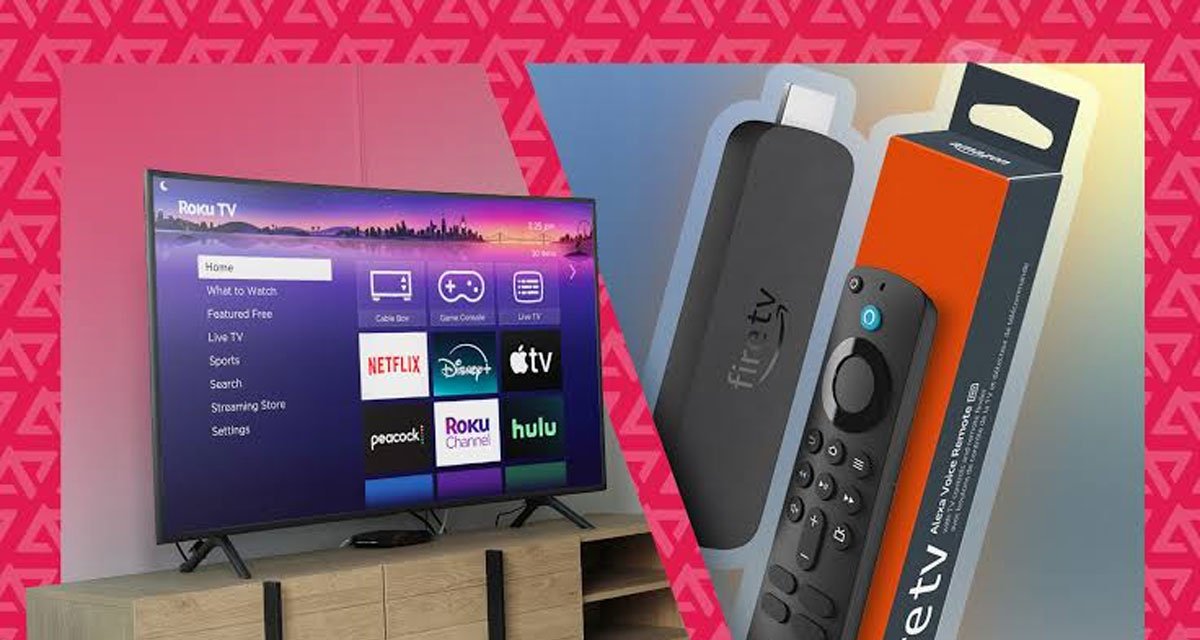
Choosing an IPTV service is only half of the home streaming decision. The device running the player has a major effect on navigation, app compatibility, remote control convenience, and day-to-day reliability. For many households, the practical choice comes down to using an app already available on a smart TV or adding a Fire Stick to an HDMI port.
Both approaches can work well. The better option depends on the television, its app store, the home network, and whether the viewer wants a fixed or portable setup. Services such as Strong8K IPTV support multiple device categories and common playlist or login methods. Availability and playback quality can still vary by plan, app, device, region, source, and connection.
Smart TV IPTV: The Cleanest Fixed Setup
A smart TV can provide the simplest-looking installation because everything runs inside the television. There is no separate stick to power, no extra HDMI input to select, and usually no second remote to manage. Once a compatible IPTV player is installed, the viewer opens the app, enters the supplied access details, and waits for channels and program information to load.
This works well in a main living room when the television is recent and responsive. It keeps cables to a minimum, and families who dislike switching inputs or managing several remotes may find the direct TV app more natural.
Where Smart TVs Can Be Limiting
The term smart TV covers many operating systems. Samsung, LG, Android TV, Google TV, VIDAA, and other platforms do not offer identical app stores. A player available on one model may be absent from another, and older televisions may stop receiving major software updates even though the display itself still works perfectly.
Televisions also tend to have modest processors and storage. If menus feel slow, the guide takes too long to load, or the app closes unexpectedly, the hardware may be the bottleneck. An external streaming device can then be a more economical upgrade than replacing the screen.
Fire Stick IPTV: Flexible and Easy to Move
A Fire Stick connects through HDMI and brings its own operating system, processor, storage, Wi-Fi connection, and app environment. This can make app selection more predictable, particularly when the television’s native store lacks the preferred IPTV player. It also gives an older HD or 4K television a more current streaming interface without changing the display.
Portability is another advantage. The device can move to another room or travel with the user when there is a compatible television and suitable internet access. The familiar remote and interface also make the experience more consistent, subject to the service’s device and simultaneous-stream rules.
Where a Fire Stick Requires More Attention
An external stick needs an HDMI port and reliable power, and the television must be switched to the correct input. Some apps require more than a normal app-store download, so users should follow current instructions from a trusted provider and avoid files from unknown sources.
Storage is limited. Remove unused apps, update the player, and restart the stick occasionally. Using its supplied power adapter instead of a weak television USB port can also prevent unexplained restarts.
Performance: Device Power Is Only One Part
A newer Fire Stick may feel faster than an aging smart TV, but live streaming also depends on the source, app, home network, and router connection. Ethernet is a strong choice for a stationary device when supported. Otherwise, a clear 5 GHz Wi-Fi signal is often preferable to a crowded 2.4 GHz connection.
High-resolution viewing requires the entire chain to support the selected format. The stream, app, device output, HDMI connection, and television must all be compatible. A stable lower-resolution stream is generally more enjoyable than a higher setting that repeatedly pauses to buffer.
Setup and Login Methods
Many IPTV players accept an M3U playlist or Xtream-style login. Some TV players display a device identifier used on the player’s website, while Fire Stick apps may accept credentials directly. Follow the instructions for the specific player rather than a guide written for another application.
After adding the account, allow the first channel list and electronic program guide update to finish. Confirm that live television, movies, series, search, subtitles, and favorites behave as expected before reorganizing menus or changing advanced decoder settings.
Which Device Is Better for Different Homes?
Choose the smart TV route when the preferred player is available, the television receives updates, the interface feels responsive, and a one-remote setup is the main priority. This is often the best fit for a modern television in a permanent living-room installation.
Choose a Fire Stick when the TV app store is restrictive, the built-in interface has become slow, portability matters, or you want the same app experience on several televisions. It is also a practical way to extend the useful life of a display whose picture remains good but whose smart features feel outdated.
Some households use both: a native app on the main television and a stick as a backup. Check the simultaneous-stream policy first; installing an account on several devices does not necessarily mean they can all play at once.
A Five-Minute Decision Checklist
First, search the television’s app store for a compatible player. Second, test how quickly it opens apps and menus. Third, check the Wi-Fi signal at the screen. Fourth, decide whether portability matters. Finally, review the service’s device and simultaneous-stream policy.
If the television meets those requirements, start with the native app because it is the cleanest option. If it does not, a Fire Stick is usually a less expensive and more flexible upgrade than replacing the television.
Final Verdict
A smart TV offers simplicity; a Fire Stick offers flexibility. Choose the device that supports a trustworthy player, responds quickly, connects reliably, and remains easy to use. Navigation, network stability, app availability, and support matter more than resolution labels the rest of the setup cannot use.
Start with the device already available, test it under normal evening network conditions, and add external hardware only when it solves a real limitation. That approach keeps the setup affordable and makes home streaming easier to maintain.
Frequently Asked Questions
Can I use IPTV directly on a smart TV? Yes, if a compatible player is available for the television’s operating system and the service supplies a supported login or playlist format.
Will a Fire Stick improve picture quality? It may improve responsiveness or app support, but it cannot create detail that is absent from the original stream or exceed the television’s display capability.
Can I move a Fire Stick between televisions? Usually yes, as long as each screen has HDMI, the device has power and internet access, and the subscription rules are followed.
Should I change decoder settings immediately? No. Begin with the player’s default settings and change one option at a time only when playback problems appear.